
Soundbites
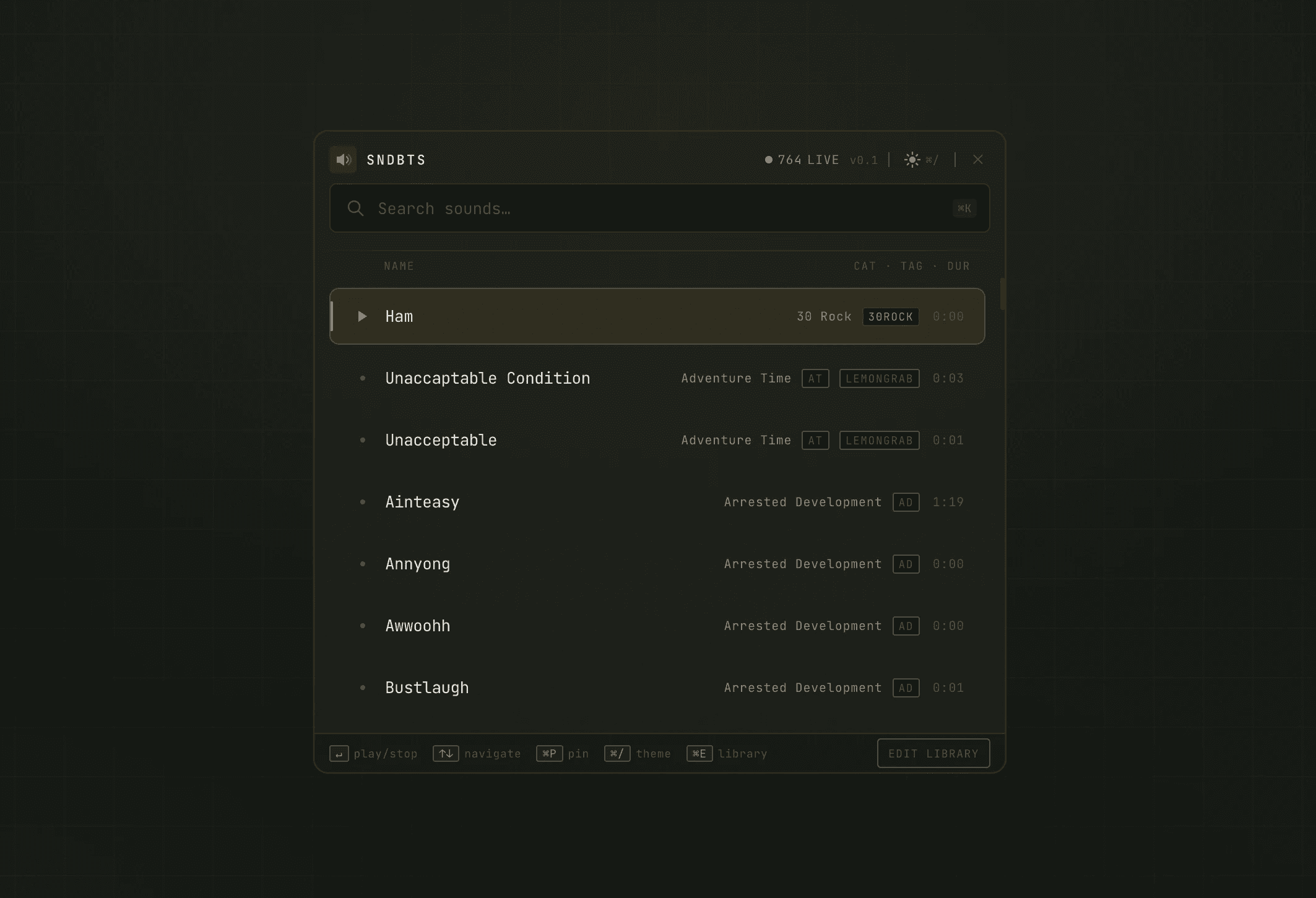
A keyboard-first soundboard launcher, built to teach AI-assisted design workflows from real work.
ROLE
TYPE
Mac OS App
Playground
The Origin
I was preparing a workshop for designers at Designit on how to integrate AI tools into their creative workflow — not as an "AI is part of our process now" sticker, but as a real, practical examination of where these tools fit and where they don't. To teach that honestly, I needed to have built something real with them. Slideware about AI from someone who hasn't actually shipped with AI isn't a workshop. It's a book report.
So the question became: What do I build?
Years ago, my dad wrote a little script that let him play sound effects from a library he and his coworkers had built up. He'd trigger them around the house, in meetings, on calls. A few keystrokes and a punchline would land with perfect comedic timing. I always wanted to be able to do that, but I didn't know how to code, and I couldn't hold a repository of shortcuts in my head the way he could.
That was the project. A visual soundboard that preserved the speed and timing of what my dad had built, made accessible to a designer who doesn't code. Teach-from material with a real use case, and something I could imagine actually using on calls at Designit where the collaborative culture had been drifting, and a little delight might not hurt.
The design thesis
The tool shouldn't get in the way.
That sentence is the whole design philosophy. Everything else falls out of it. If you have to launch the app, wait for it to load, click through a grid, find the sound, and play it — you've already missed the comedic beat. The experience has to be as close to "thinking about a sound and then hearing it" as possible. We want maximum meme potential
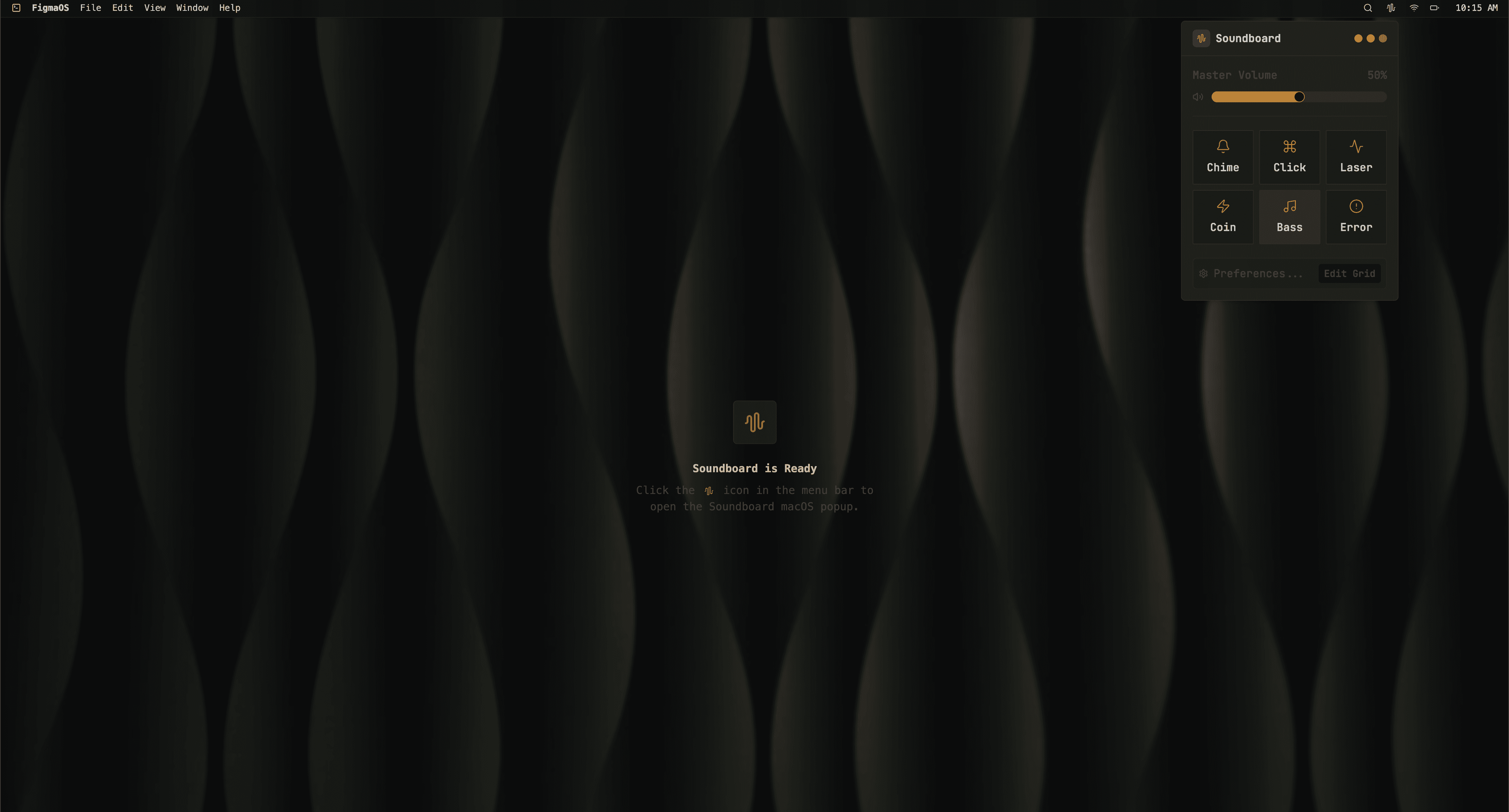
This is the same principle that I want to run through all my work: technology should earn its place. It should serve the person using it, and recede when it's not needed. SoundBites is an attempt to be the working proof of that principle. Every design decision in the project is the philosophy applied to a specific choice.
The Decisions
Menu bar only. No dock icon.
Most desktop apps announce themselves. They sit in your dock, in your Cmd-Tab list, in your screen's peripheral vision. Always visible, always demanding a little bit of attention. SoundBites doesn't. It lives in the menu bar, summoned by a global keyboard shortcut, invisible until you want it. The alternative, a traditional app with a window and a dock presence, would have broken the speed promise. Every second of "open the app" is a second the joke dies. Remember. Maximum meme.
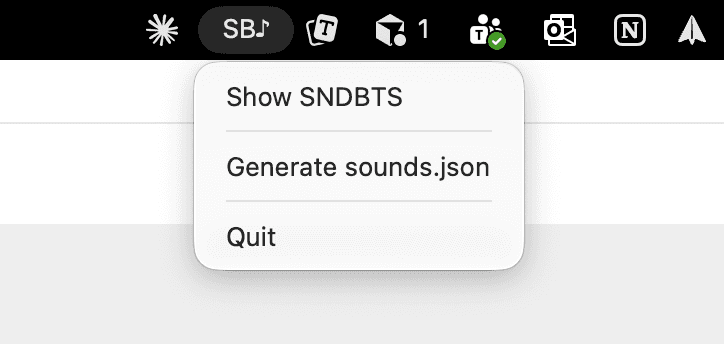
Search-first, not browse-first.
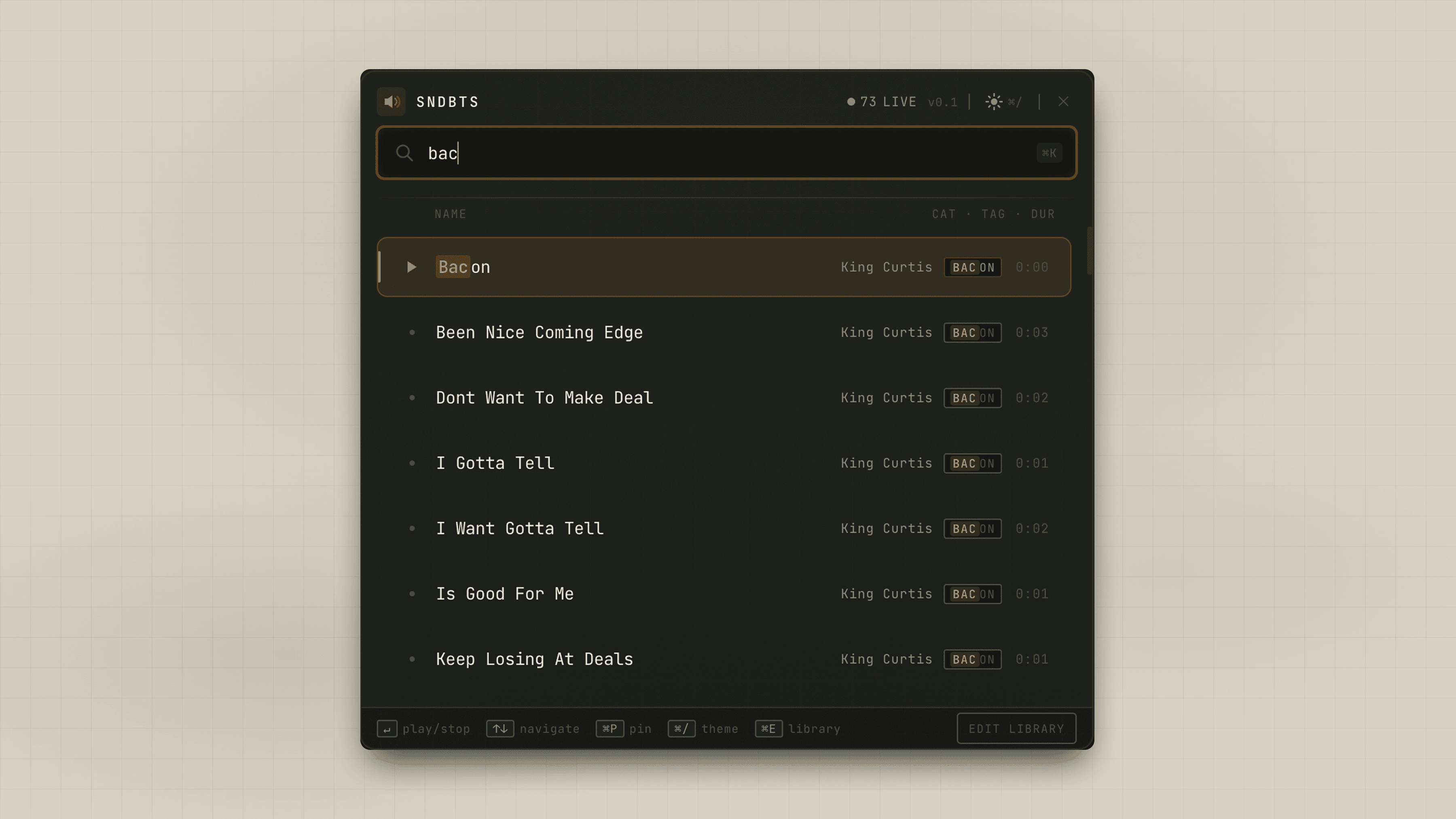
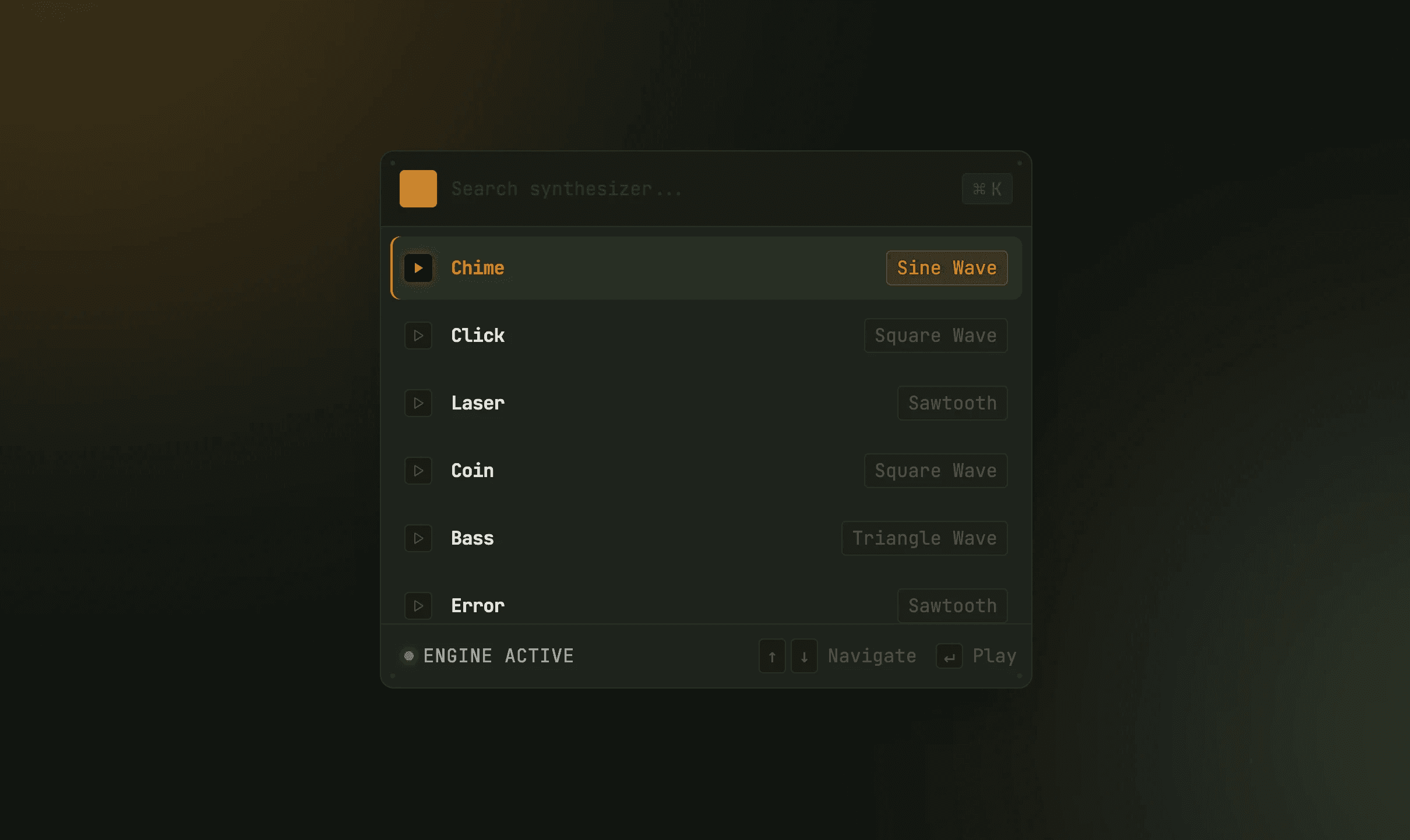
Most soundboard apps are grids. A wall of buttons, each a sound. That pattern assumes the user is browsing, scanning, hunting, picking. SoundBites assumes the opposite: you already know what you want. You just need to type it real quick.
The direct references here are Spotlight or Raycast. A search field summoned by a keystroke, fuzzy matching against a library, keyboard navigation through results, enter to fire. I wanted that interaction pattern applied to sound. The goal was that a user could operate the entire application without their hands ever leaving the keyboard.
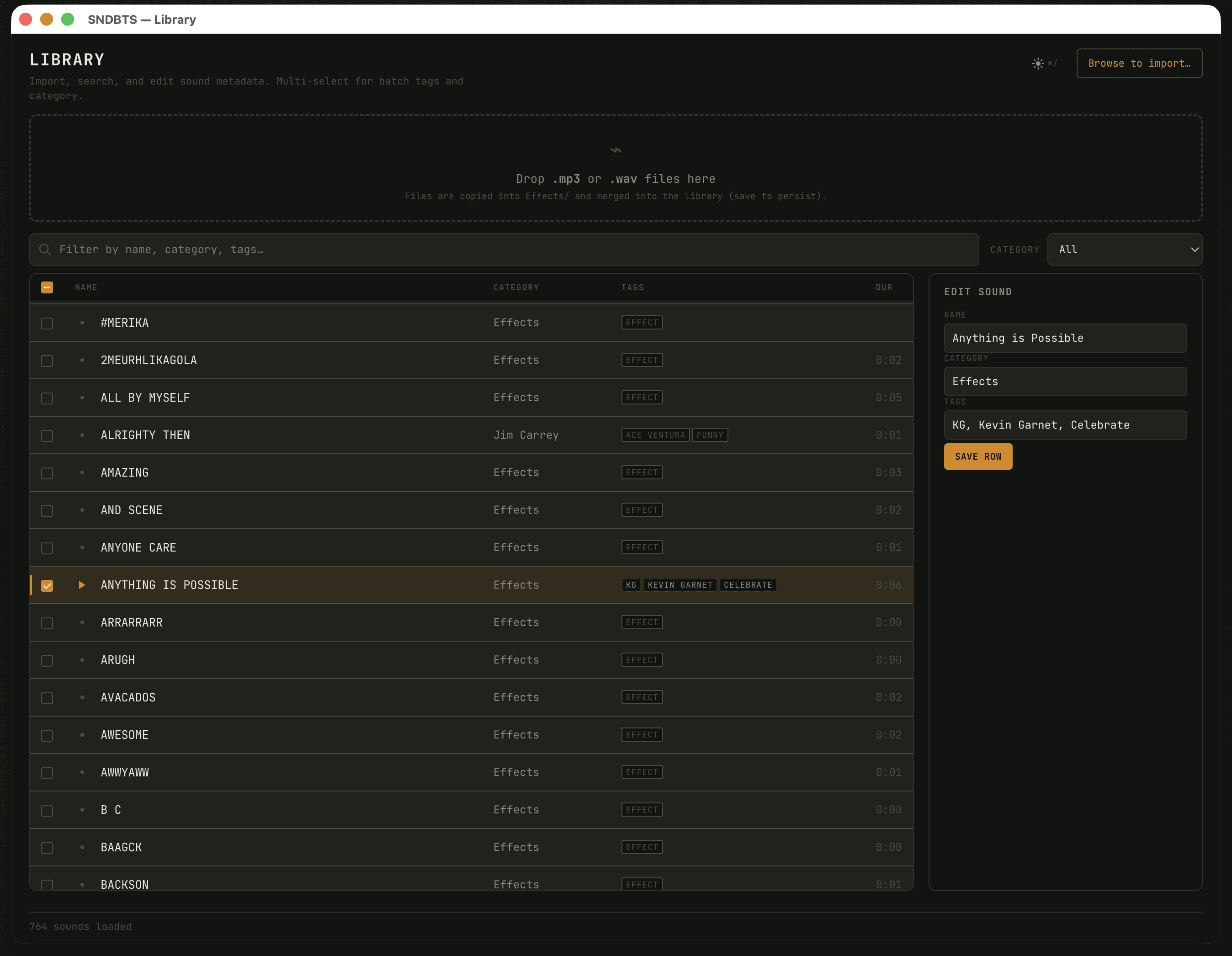
The Library as a personal layer.
With hundreds of sounds, some kind of organization is necessary. But I didn't want to impose a taxonomy on users: "here are the categories I decided your sounds belong in." Instead, Library is a layer users build for themselves: tags, categories, and custom sounds they add. Your mental model of your sounds is personal. The tool should let you build it, not give you someone else's. That way, you know what to summon and when, and thought becomes audio that much faster.
The Library feature didn't exist in the first build. It emerged from using the early versions and feeling the gap. At the time I was working with 764 sounds, and that is, for sure, too many to remember by filename. I specced the sorting and filtering functionality, then added it in Cursor, leveraging the visual system that was already in place.
The Visual Direction
Solarpunk meets Teenage Engineering.
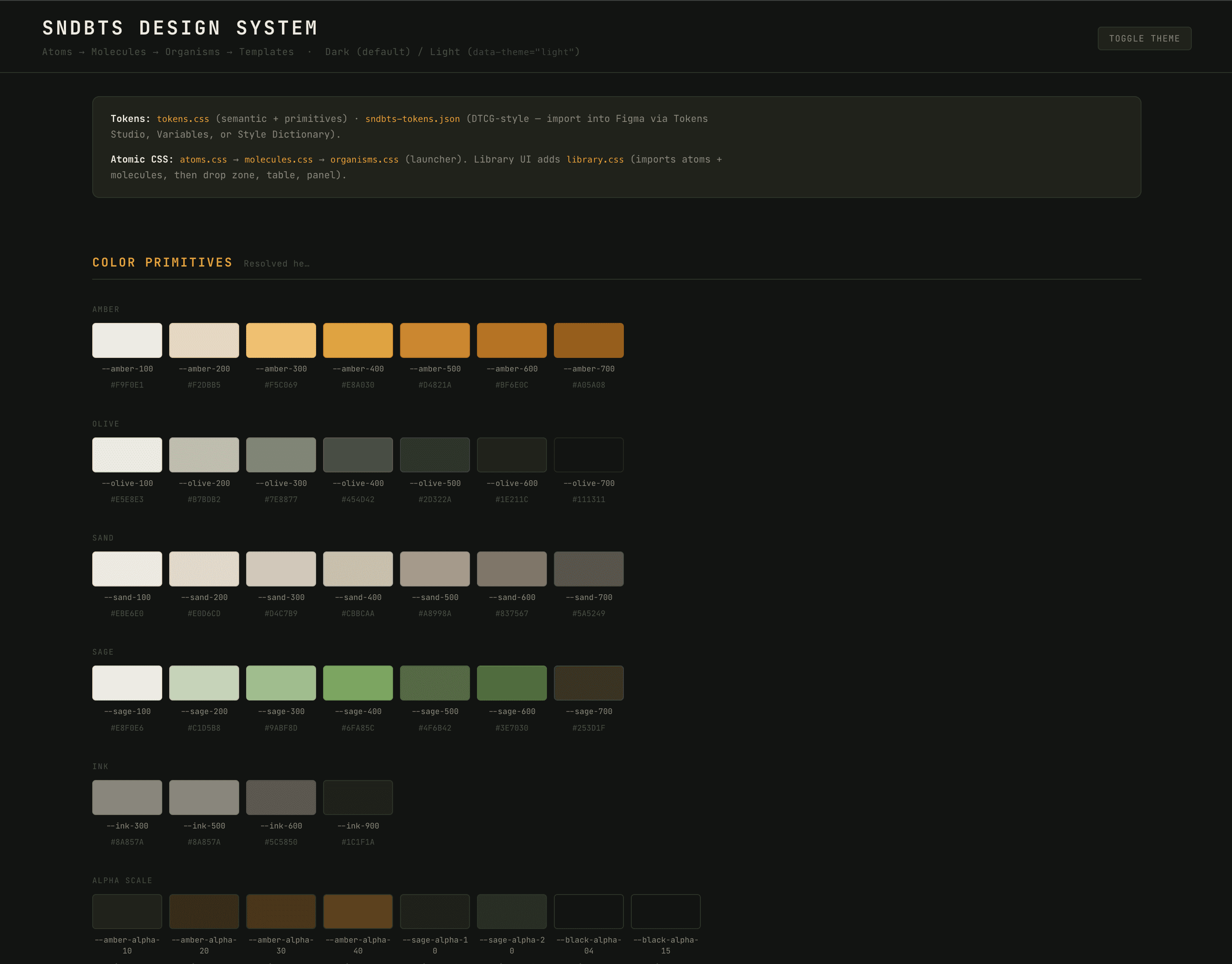
Solarpunk is the values layer: an interest in technology that's in right relationship with the people using it, rather than extracting from them. Teenage Engineering is the aesthetic reference. Minimalism that isn't sterile, character that serves function, a visual language that quietly acknowledges this is a tool for working with sound.
Use of warmth over cold minimalism, in both the dark default and the light alternative. Accent colors used deliberately, not decoratively. JetBrains Mono as the primary face, a nod to the tool's technical nature and a break from the generic React-kit typography that shapes so many utility apps. The whole thing is meant to read as instrument, a nod to the aesthetics of audio gear translated into software.
The workflow
Early versions as research
The novel part of this project isn't the product, it's how it was built.
I started in Figma Make, exploring visual concepts. The early results were not good. Figma Make was taking my visual inputs too literally and returning executions that felt like generic UI-kit output rather than the specific thing I was reaching for. My first instinct was frustration at the tool. My second, more useful instinct was to notice that the problem was upstream: I wasn't giving it the right inputs.
So I asked Claude how to prompt Figma Make better.
That moment is the whole methodology in miniature. Instead of blaming the tool or abandoning it, I used AI to clarify my own thinking about what I actually wanted. The prompting conversation with Claude forced me to articulate the product vision more precisely, the nature of the interaction, the quality of the user experience, the feeling I was after, which then became a much better brief for Figma Make. The results got closer to what I wanted immediately. From there, the process became more structured, and I could go in and do some manual refinement.
What's next
SoundBites is in phases 1–3: the launcher works, the Library is functional, the shortcut system is in place. Phase 4 will expand the Library's sharing and import capabilities and refine the interaction choreography.
The workshop this was built for is forthcoming. SoundBites is the working artifact that I'll demonstrate live, walk through the decisions of, and use to teach a structured methodology for AI-assisted design. The goal of the workshop isn't "look what AI can do." It's "here's how to stay in the driver's seat while working with these tools, and produce work you can stand behind."
Because that's the real question, and it's the one I care about. Not whether AI can help designers move faster, it obviously can, but whether designers can use AI without losing the judgment and craft that made them worth listening to in the first place.